MCP server
Your exam prep, inside the assistant you already use
Connect one URL and your assistant quizzes you on the real blueprint — one question at a time, withholding the answer key until you commit, then explaining why every option wins or loses.
Connect it in one minute ↓ · or try the 236 free questions in the browser first — no account either way.
What it looks like
Nothing here is a mock-up. Every frame is the assistant calling this site’s tools over MCP, and the question is one of the real ones — a governance scenario where two of the four options are defensible and only one is credited.
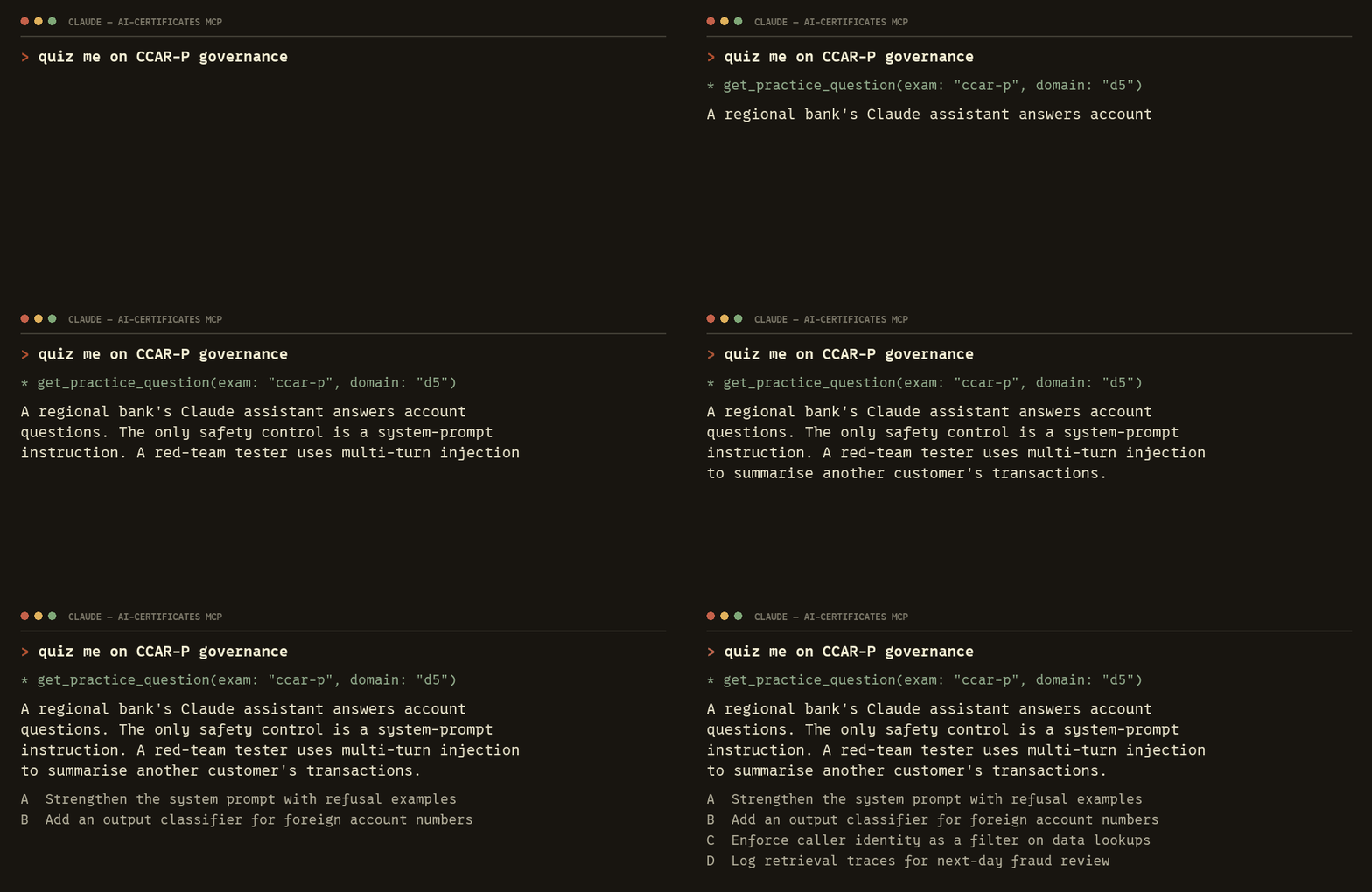
get_practice_question and reads back the scenario. It has not been told which option is correct— that is the whole design, and everything else follows from it.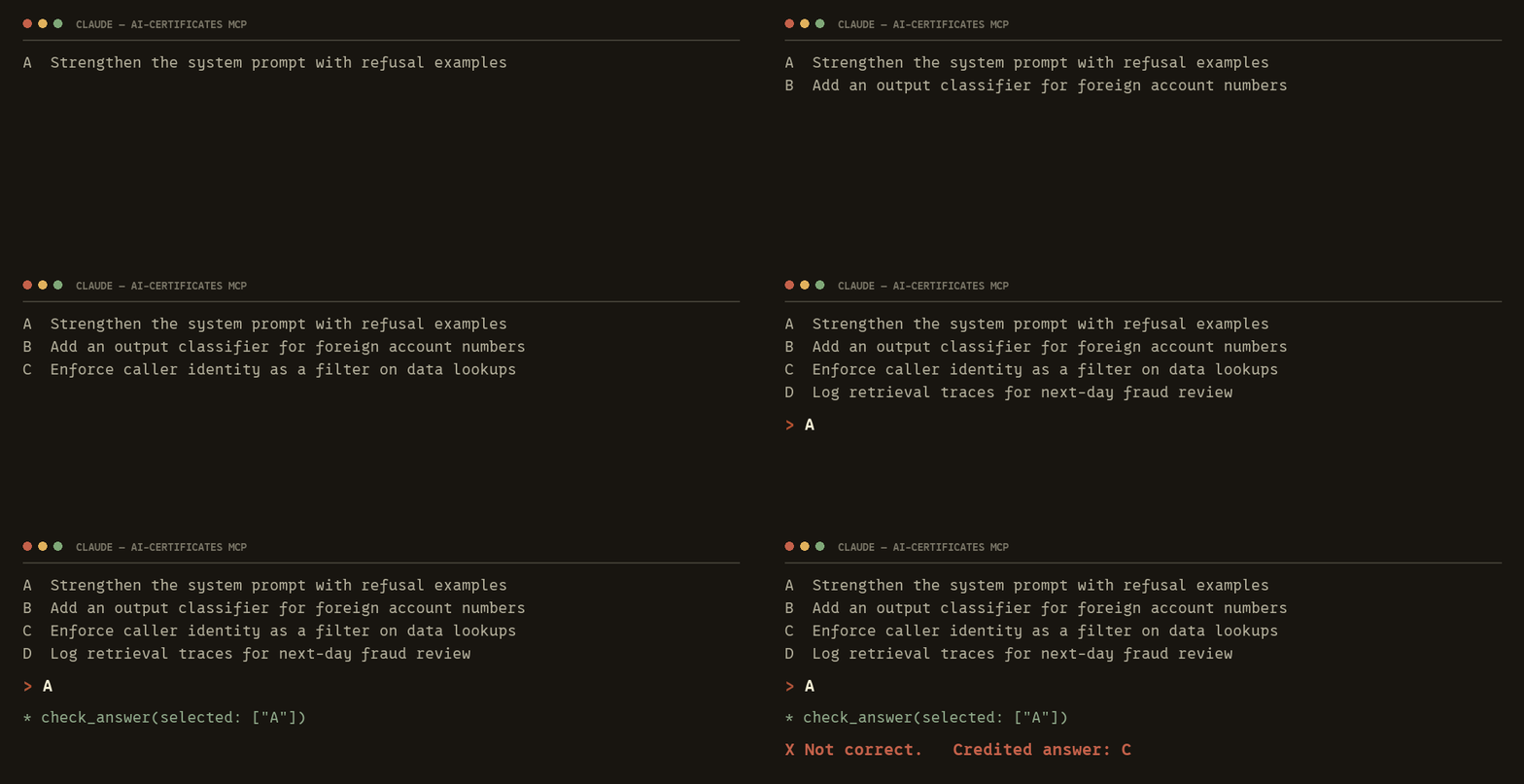
check_answer run, and only then does the key exist in the conversation at all. Choosing before you are graded is the part that does the teaching.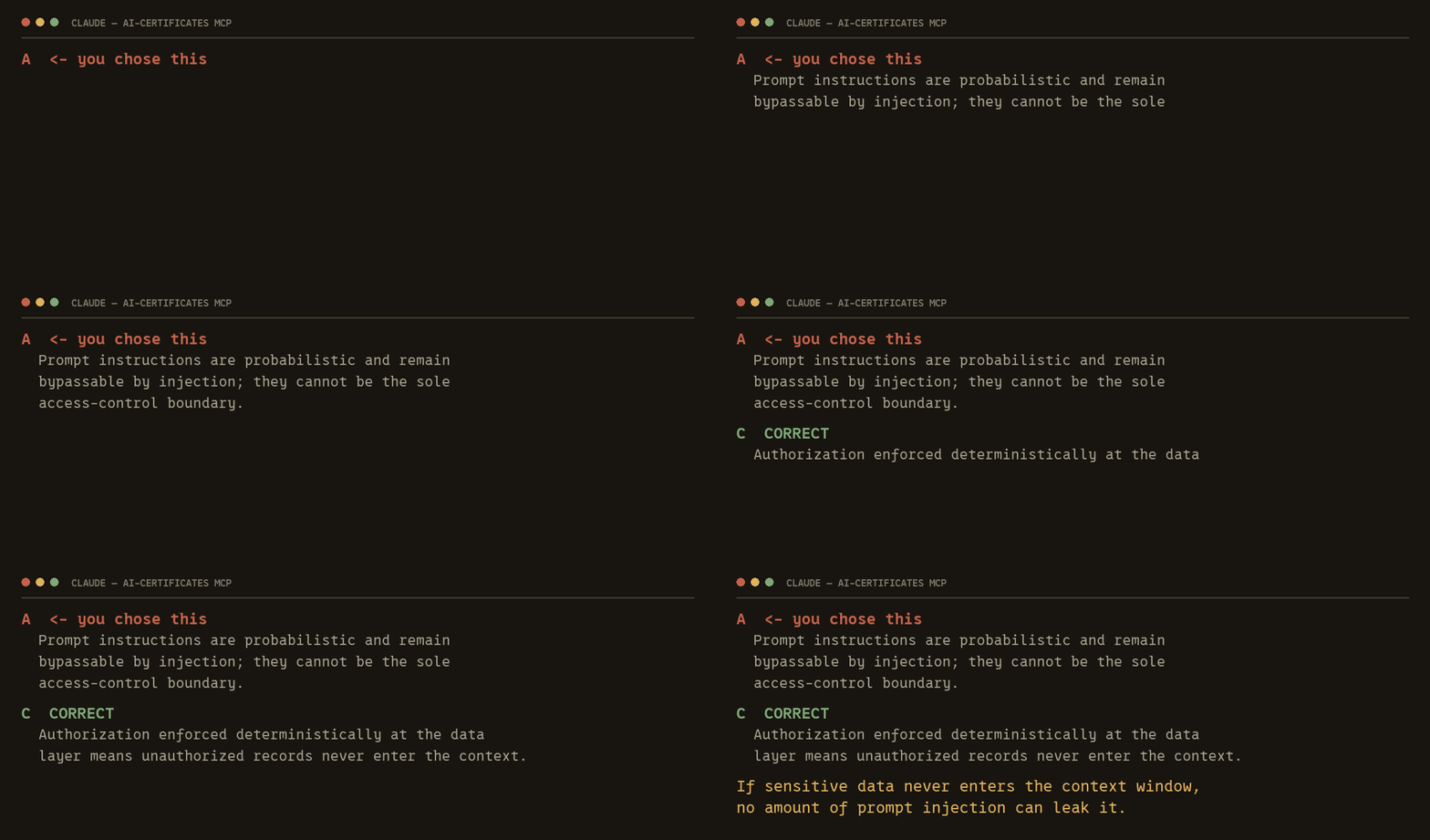
Where it stops being a quiz
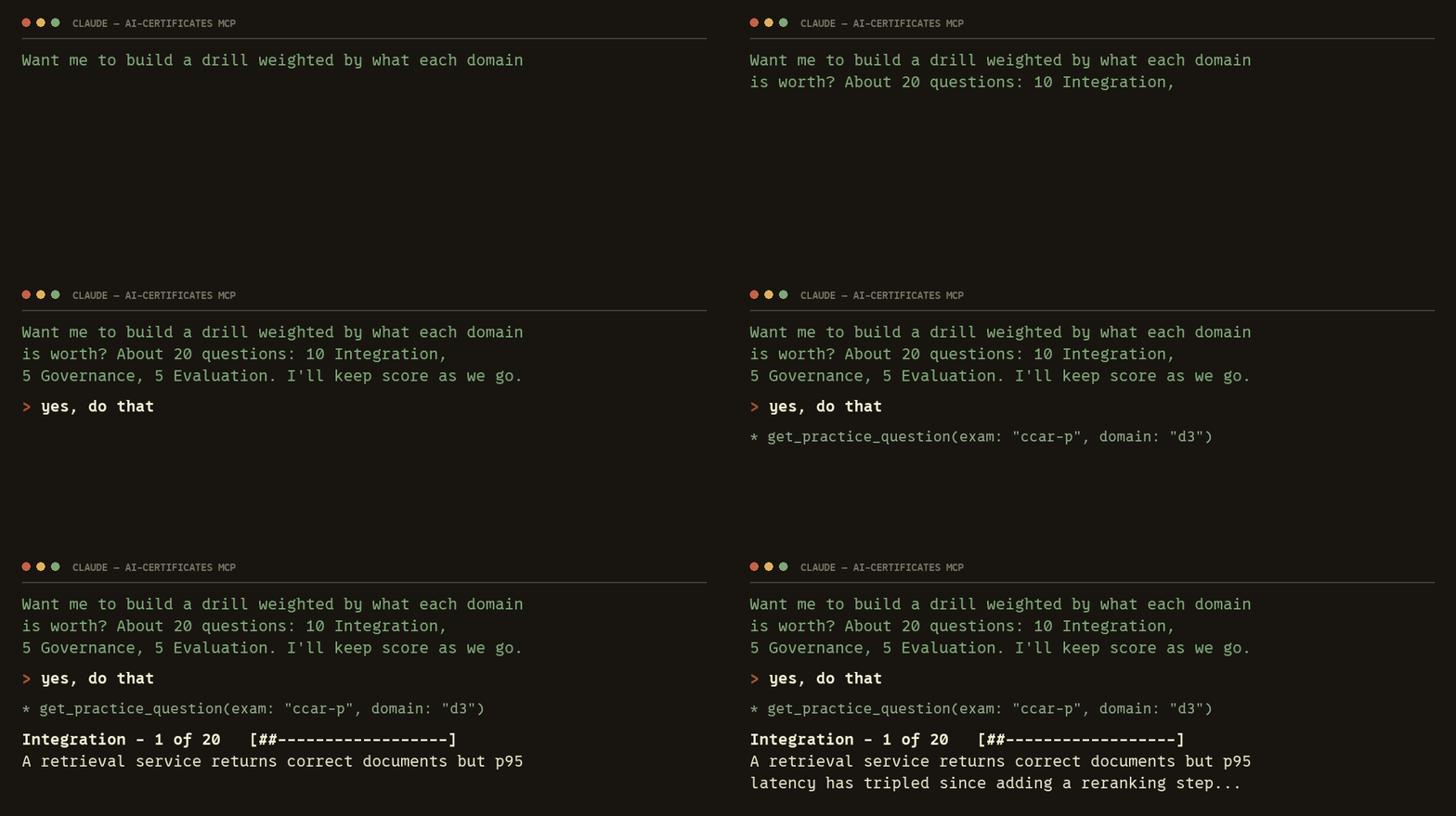
One question at a time is a party trick. The reason to connect a server rather than paste a question is that the assistant can read your record and decide what you should do next — and it can weigh a domain by what the blueprint says it is worth.
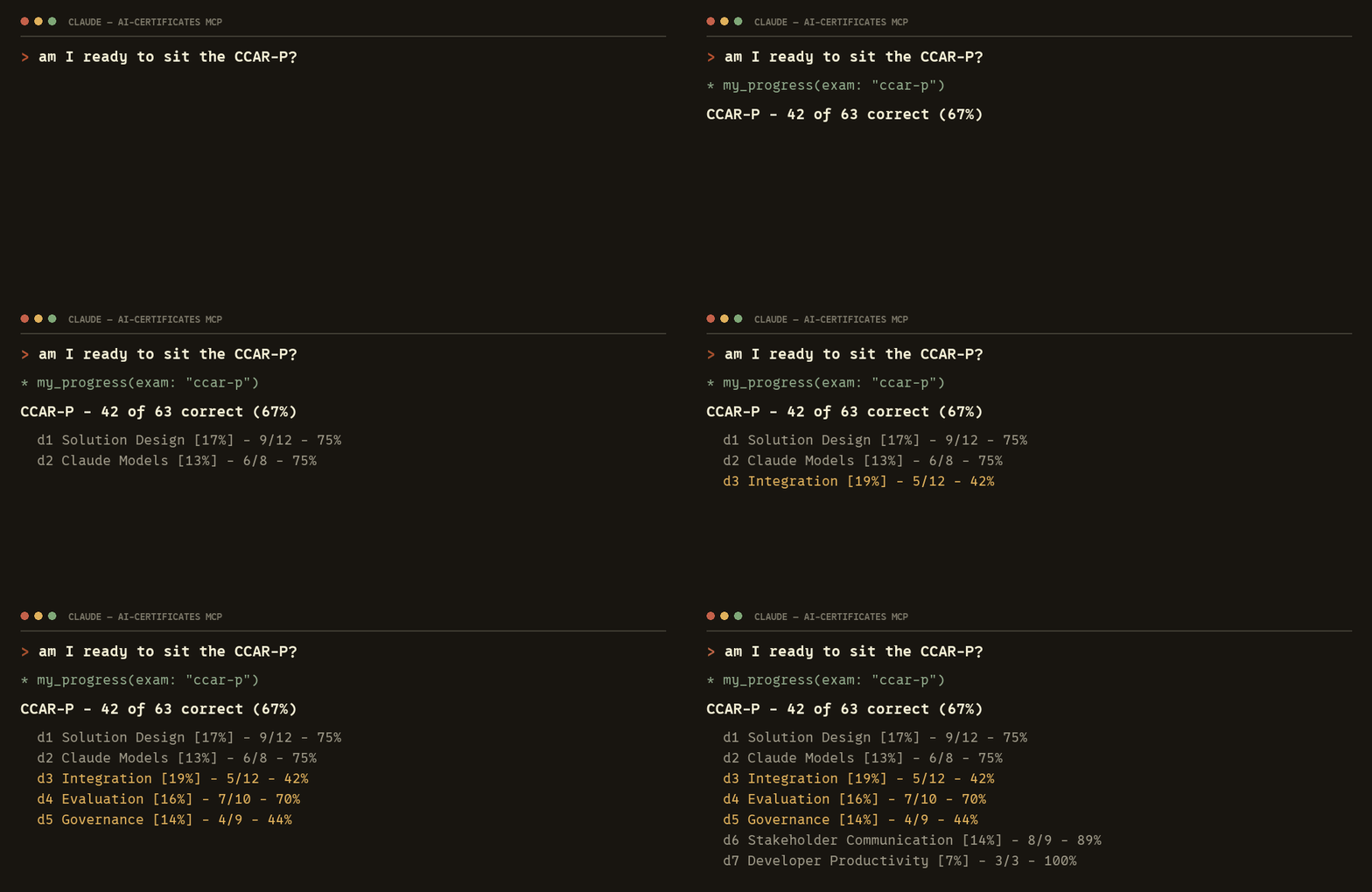
my_progressreturns the record by blueprint domain, weakest first, each with the weight it carries on the real paper. Not one number — the per-domain breakdown is the entire point.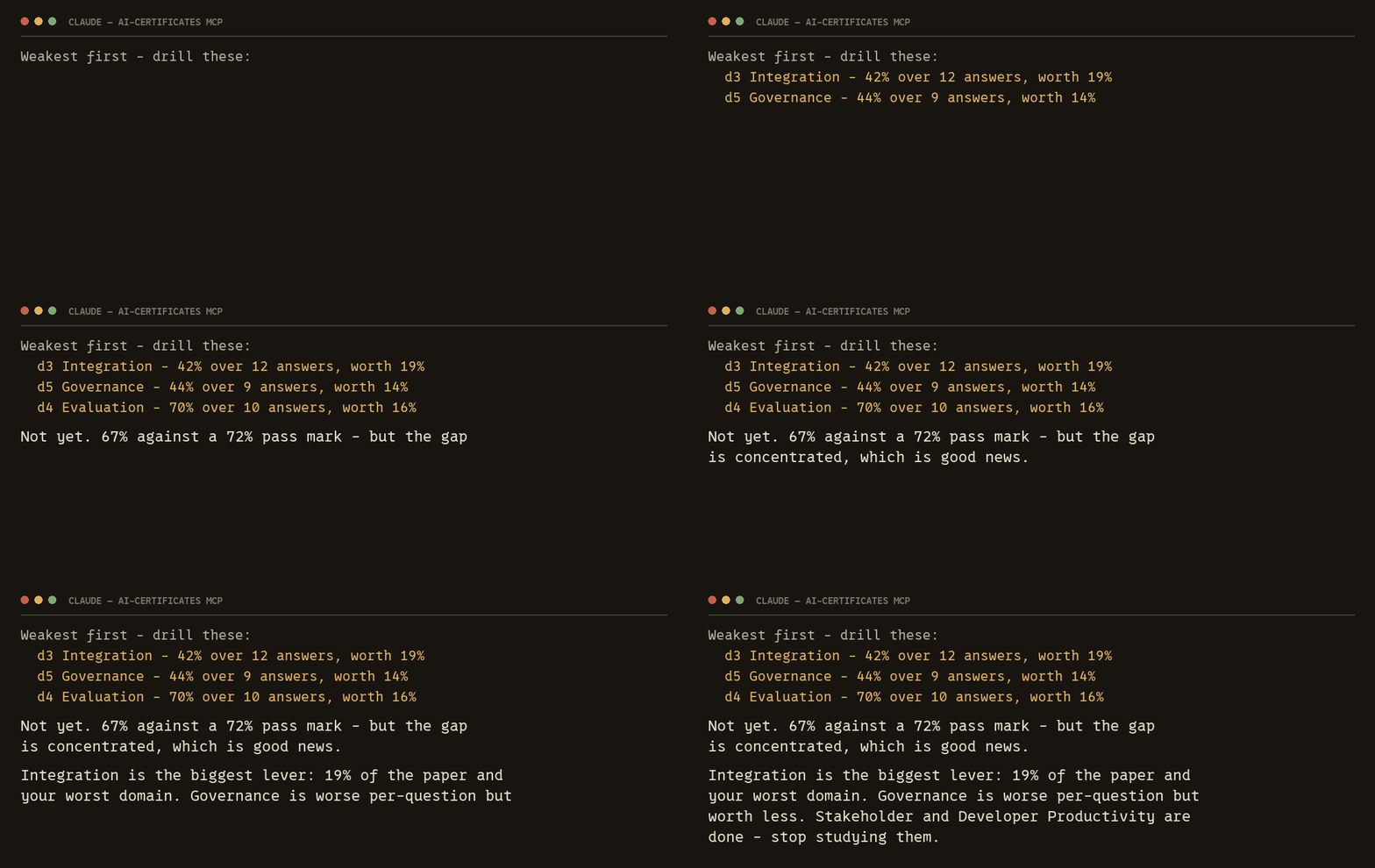
Which URL
/api/mcpFree · no accountThe free form for each exam — 236 questions. No account needed, and without one nothing is recorded.
/api/mcp/fullFull accessEvery question bank for all four certifications, and it tracks your answers by blueprint domain — so it drills you on what you get wrong, weakest domain first.
Two, not one: a client only offers sign-in after a server refuses it once, and the free endpoint never refuses anybody.
Set it up · pick your client
Claude Codeterminal
claude mcp add --transport http ai-certificates https://aicertificates.study/api/mcpThat is the free endpoint — no account, works immediately. Bought full access? Use /api/mcp/full instead, then run /mcp and sign in.
claude.aibrowser
Free plans get one custom connector. On Team and Enterprise an Owner adds it once under Organization settings → Connectors; everyone else clicks Connect.
ChatGPTbrowser
OpenAI says developer mode depends on your account and workspace policy, so it is not on every plan.
Codexterminal
Codex adds hosted servers in ~/.codex/config.toml:
[mcp_servers.ai-certificates]
url = "https://aicertificates.study/api/mcp"
That is the free endpoint. Bought full access? Point url at /api/mcp/full and run codex mcp login ai-certificates to sign in. codex mcp add takes a local command rather than a URL, so it is the config file for a hosted server like this one.
Or let the assistant do it:one copied prompt covers all four clients — paste it into whatever you use and it walks you through your own screen.
Paste into an assistant and it will walk you through your own client.Five tools
list_examsAll four Claude certifications with codes, fees, and every domain at its published weight.get_practice_questionOne question, options shown, no answer key. The assistant cannot leak what it was not given.check_answerGrades after you commit and explains every option, including the ones you did not pick.my_progressYour record by blueprint domain, weakest first — what the drilling runs on. Full endpoint only.open_studyOpens the study page itself when you'd rather answer on screen than in chat — and once it is open, WebMCP hands the agent a richer set of tools for that screen.
How it is built
There are two ways an agent reaches these tools. A connected client — Claude Desktop, Claude Code, anything speaking MCP over HTTP — talks to /api/mcp. An agent running inside the browser gets the same tools through WebMCP, the document.modelContext surface, with no connection to set up at all.
The obvious way to build the second one is to write the tools again in client code. That is a mistake, and an expensive one. Two copies of a tool definition drift within a week, and the first symptom is not a crash — it is a page-side tool cheerfully handing out an answer key the server withholds. Silent, and exactly the failure the product cannot survive.
So there is one manifest. A single function is what /api/mcp answers tools/list from, and the page receives that same manifest as a prop from a server component, then proxies every call straight back to the endpoint. A browser agent and a desktop client run one implementation: same schemas, same annotations, same entitlement checks, same refusals.
One detail that cost a rewrite: register the tools synchronously. The first version called tools/liston mount and registered whatever came back — which leaves a window, however short, where the page is up and advertising no tools at all. An agent that enumerates during that window sees a site with nothing to offer, and nothing ever tells it to look again. Taking the manifest as a prop removes the network call, so the tools exist in the first effect after paint.
WebMCP is not widely available yet. ChatGPT’s in-app browser supports it on some models and not others, Chrome has it behind an origin trial, and it is off in Enterprise and Edu workspaces. Where it is absent this code does nothing at all — which is the correct behaviour, and does mean most people arrive through the connected-client route above.
Why not paste questions into a chat?
A model that can see the answer key either hands it to you or folds when you argue. Over MCP it gets the question and not the key — you commit first, then it explains why the near-misses lose. On these exams two options are usually defensible and one is credited; the difference is the lesson.
What is recorded:the outcome only — which question, which domain, right or wrong. No conversation is stored, and without an account nothing is recorded at all. More on the privacy page.
No assistant handy?
Practice here instead — free, no signup
Sign-in is OAuth 2.1 with PKCE · openapi.json · llms.txt · developers